Intonation Toy
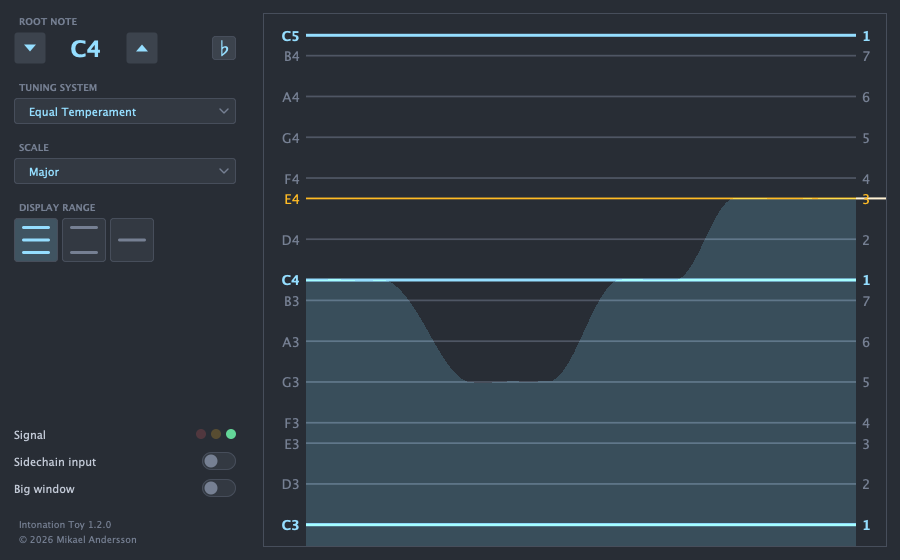
A tuner with support for just intonation. Put it up while you practise and it shows you where your intonation actually sits - singing, or on an instrument where you place the notes yourself.
Equal temperament, the standard tuning, leaves most intervals a little out of tune. Just intonation puts every note perfectly in tune with the root note - and only with the root note.
SHA-256 a28769a7c57e4c989f5ebd6541d830e1e7441cafc29a247bb975ce1969f9cce0
How to install
-
Drop
Intonation Toy.vst3into~/Library/Audio/Plug-Ins/VST3. Finder hides that folder, so press Cmd-Shift-G and paste the path. -
Paste this into Terminal, so macOS lets it load:
xattr -dr com.apple.quarantine ~/Library/Audio/Plug-Ins/VST3/"Intonation Toy.vst3"Signing a plug-in means paying Apple every year, and I don't. So macOS marks the download as untrusted and refuses to let your host load it. This command clears that mark from this plug-in and nothing else.
Want to check the download first?
shasum -a 256on the zip should print the SHA-256 above.
Usage
Put the plug-in on the channel you want to tune, or route that channel into its sidechain.
You can set the root note in the plug-in's UI, or with MIDI if you prefer. MIDI sent to the plug-in only sets the root and produces no sound; to hear the note as well, put a synth on the same channel and feed the audio in through the sidechain.